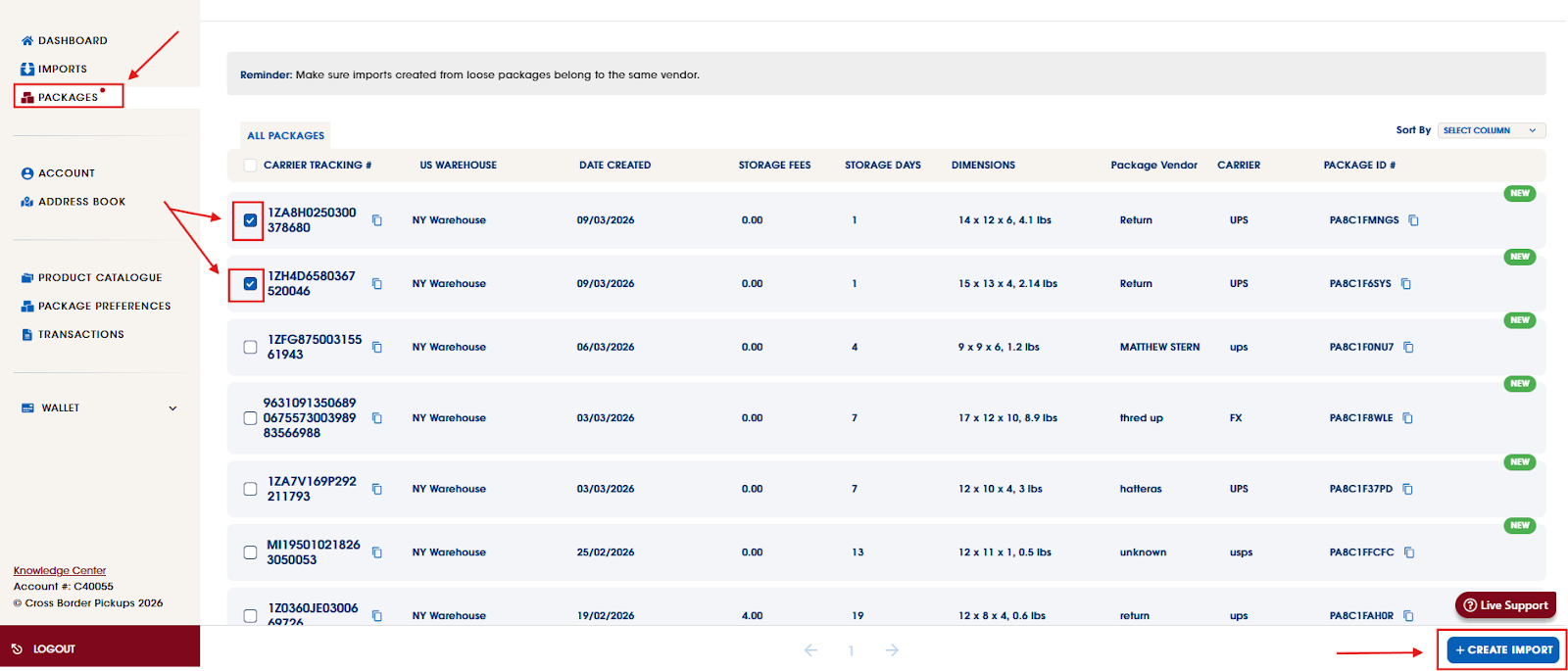
Please wait until all packages associated with your order have been delivered and processed into your account under the Packages tab. Once all items have been received and processed, you may select each package from the same order and proceed with creating an Import.
By selecting all related packages at the same time, they will be grouped under a single import. This will allow you to accurately declare the complete contents of your order in one submission.
For a full guide on how to create an import please see here (Your Guide to Cross Border Pickups)
*Our volume discount will be applied to orders with 3+ packages, either in 1 import, or with multiple imports.
Was this article helpful?
That’s Great!
Thank you for your feedback
Sorry! We couldn't be helpful
Thank you for your feedback
Feedback sent
We appreciate your effort and will try to fix the article